The Ultimate Disney World Trip Planner
A Notion-based trip planner that lives on your phone, organizes the day the way Disney actually works, and keeps your party from fighting in front of Seven Dwarves Mine Train. Speaking from experience.

.png)

You can't plan a Disney trip from a printed PDF.
You bookmark thirty articles. You print a PDF you'll never open in the park. You make a Google Doc nobody else in your party reads. You take screenshots of ride lists that get buried three thousand photos deep in your camera roll. You download the official app, which tells you wait times - but not what to do with them.
By day two, the plan is shot. Someone's hangry. Someone wanted to ride Tron and didn't know it sold out at 7:01 AM. And somehow you've ended up in a 90-minute line for something nobody in the party even cared about.

The PDF problem
Static documents can't react. Your kid melts down? You bail to a different park? The PDF doesn't update with you.
The spreadsheet problem
You built it once, on your laptop, two months ago. You're not opening it on your phone with churro hands.
The screenshot problem
"I screenshotted that hack somewhere…" Yeah. So did everyone. Nobody finds it again in the park.
The app problem
The official app shows wait times. It doesn't know your husband won't ride drops, or that your ADR is at 7:15.



This isn't a You Problem
The way most people are told to plan Disney is broken. Static tools can't keep up with a real park day and nobody has actually built a system that holds the whole thing together in the parks, on your phone, in real time.
The Disney planner routine needs to change.
Most planners hand you a static template and call it a day. This one bends to how Disney trips actually unfold — park hopping, mid-day rest breaks, the constant pivot, and the fact that you have multiple humans with different priorities standing in the same line.
Imagine knowing exactly what you're doing
Imagine never opening the same article twice
Imagine your strategy living on your phone
Everyone in your party gets their magic
A real plan doesn't make anyone compromise — it makes sure every person in your party gets at least three of their must-dos before sundown. That's the whole point of going.

Your husband gets to ride Tron

You get the iced coffee and a stroll down Main Street

Your daughter gets to meet Mickey Mouse
Hi, I'm Mikayla
I once stood in a 180-minute line and didn't speak to my husband for an hour.
Our first Disney trip together, Doug and I showed up with no plan and two completely different versions of the day in our heads. He thought we were riding as many rides as humanly possible. I thought we were strolling Main Street with iced coffee in hand.
By 11 AM we were fighting in front of Seven Dwarves Mine Train.
It was 2014. Mine Train was brand new. The line was 180 minutes. We got in it anyway. We didn't speak for an hour.


We don't live in Orlando. We're not Disney locals. But Doug, our daughter, and I now go to Disney World more times a year than I can keep track of - and every single trip, we crush it. Everyone gets what they came for. Everyone has fun. There's no fighting at Mine Train.
This planner is exactly what we use. I built it because I wished it had existed in 2014. Every system in here has been pressure-tested in actual parks, on actual park days, with actual tired children and adults who'd rather just get a Dole Whip.
The Ultimate Disney World Trip Planner
A Notion-based trip planner built for the actual park day. For families, couples, and solo travelers who are tired of pretending a printed PDF is going to save the trip.
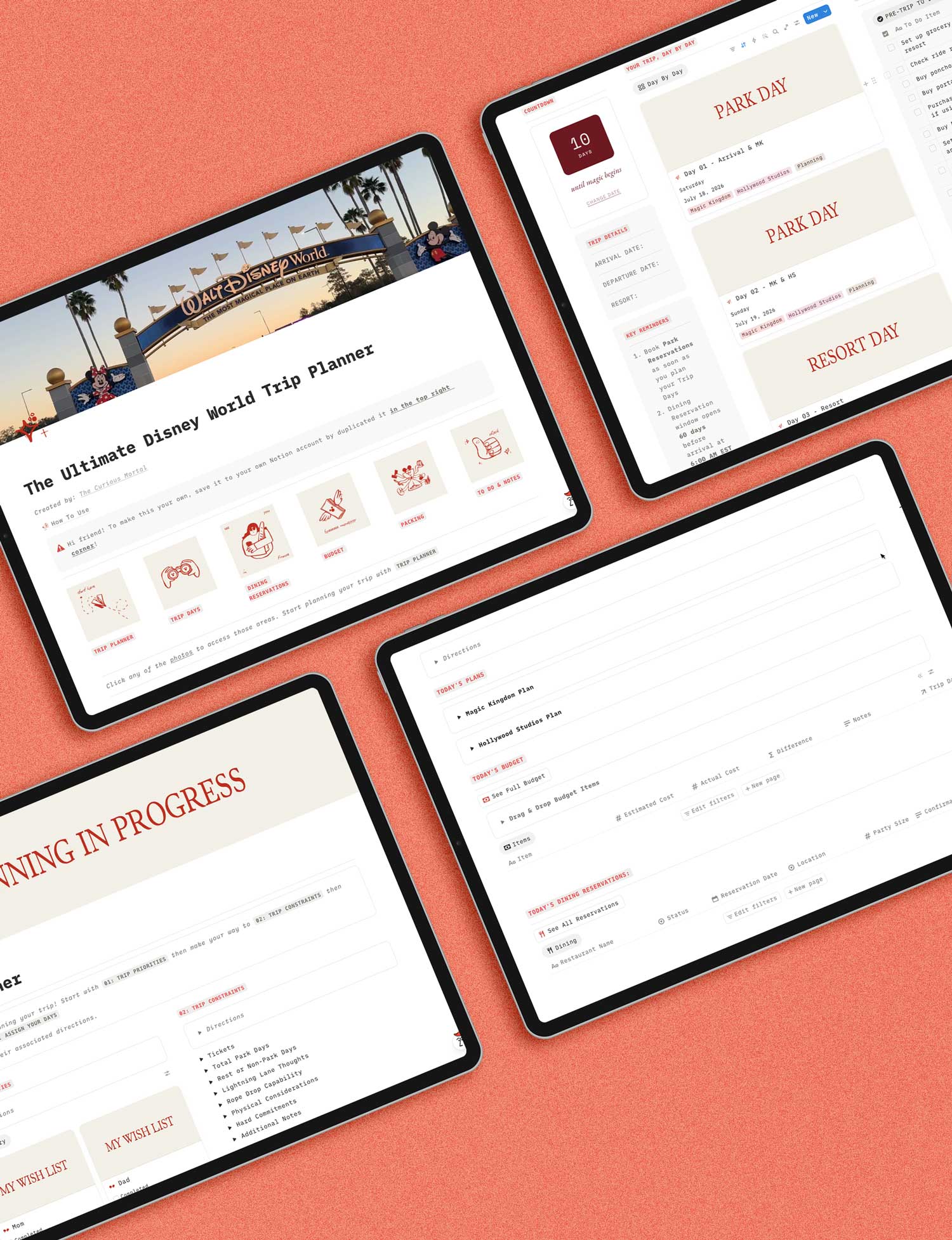
The Ultimate Disney World Trip Planner
Today
$37
The whole system, in one Notion workspace.
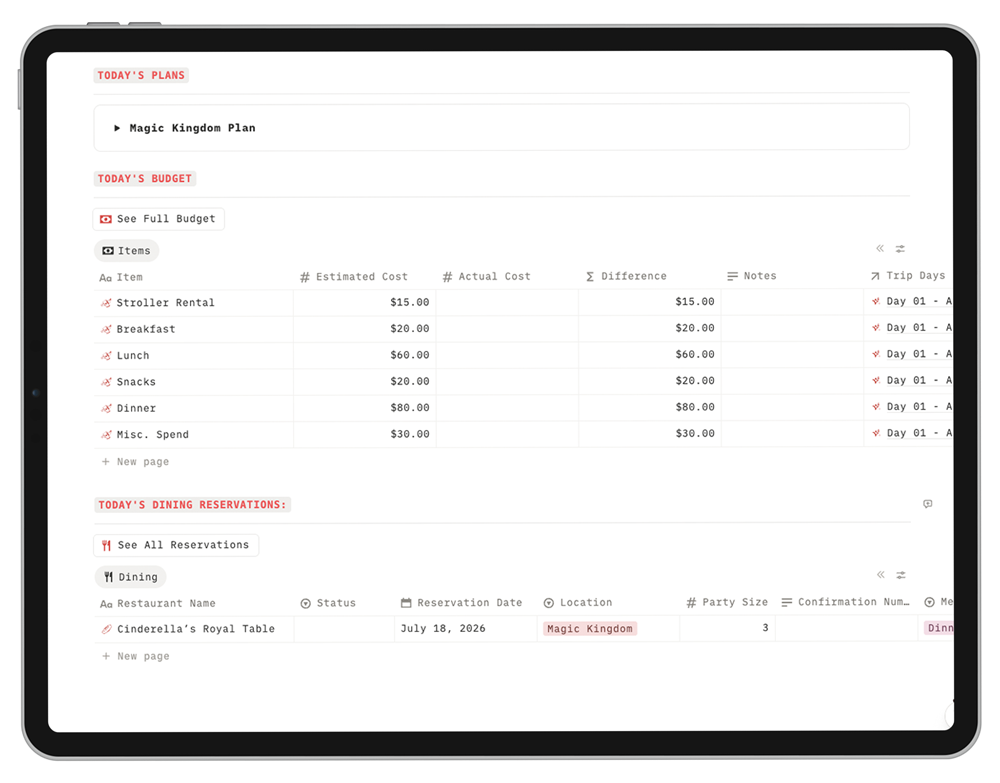
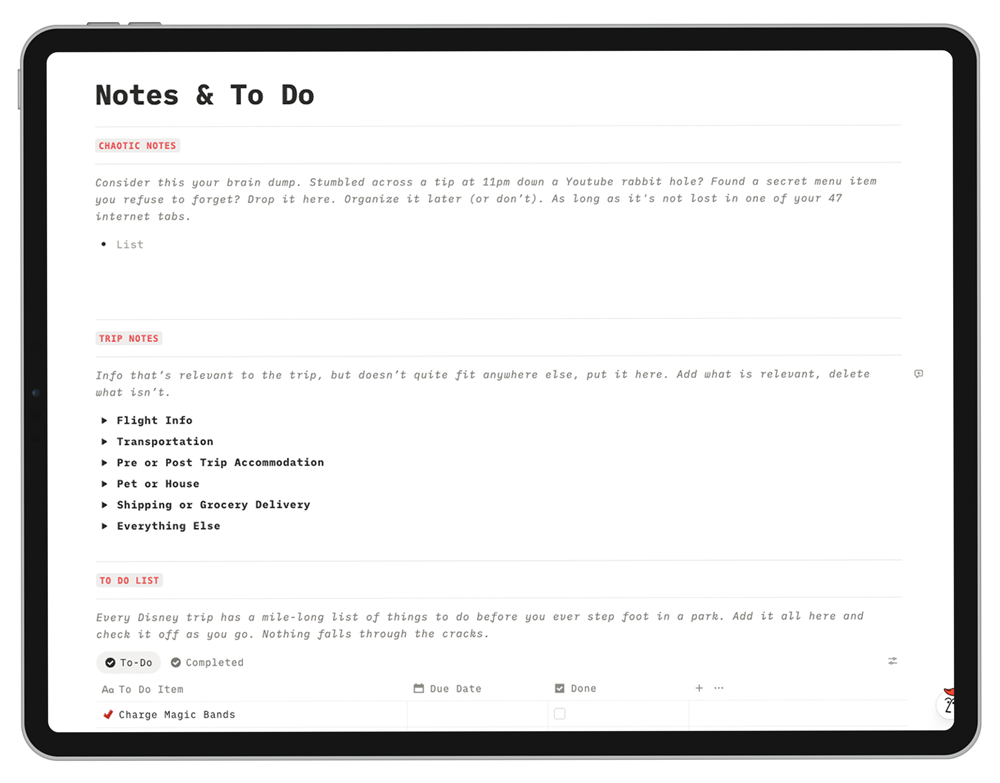
Six interconnected sections built to work together. One trip, one place, organized the way Disney days actually go.
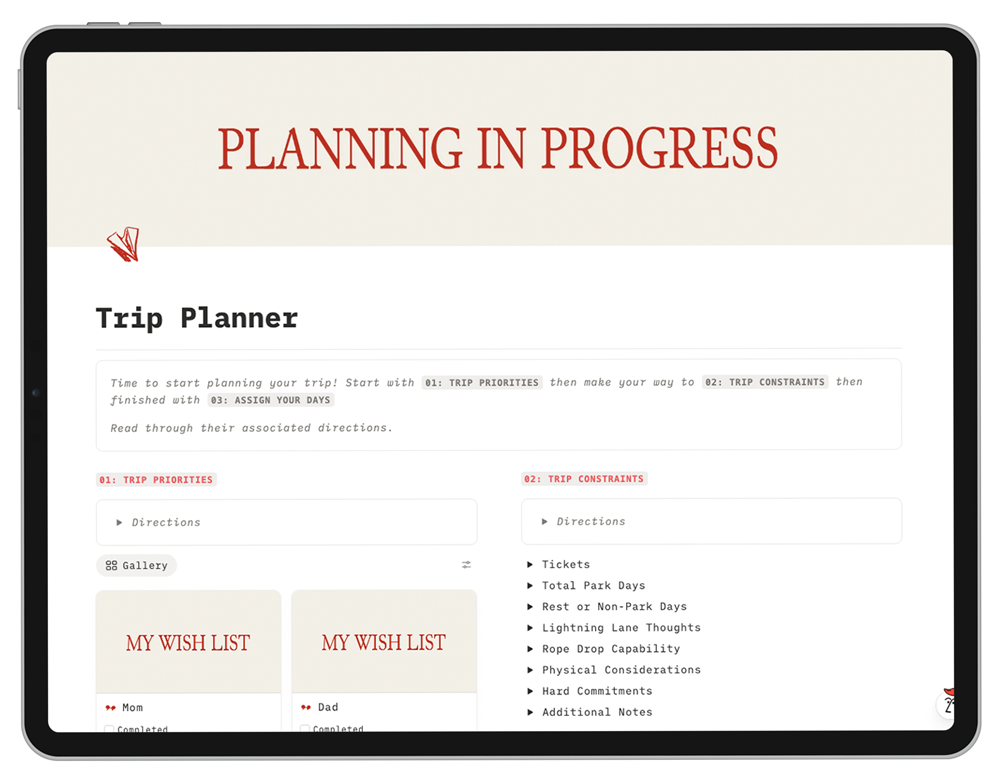
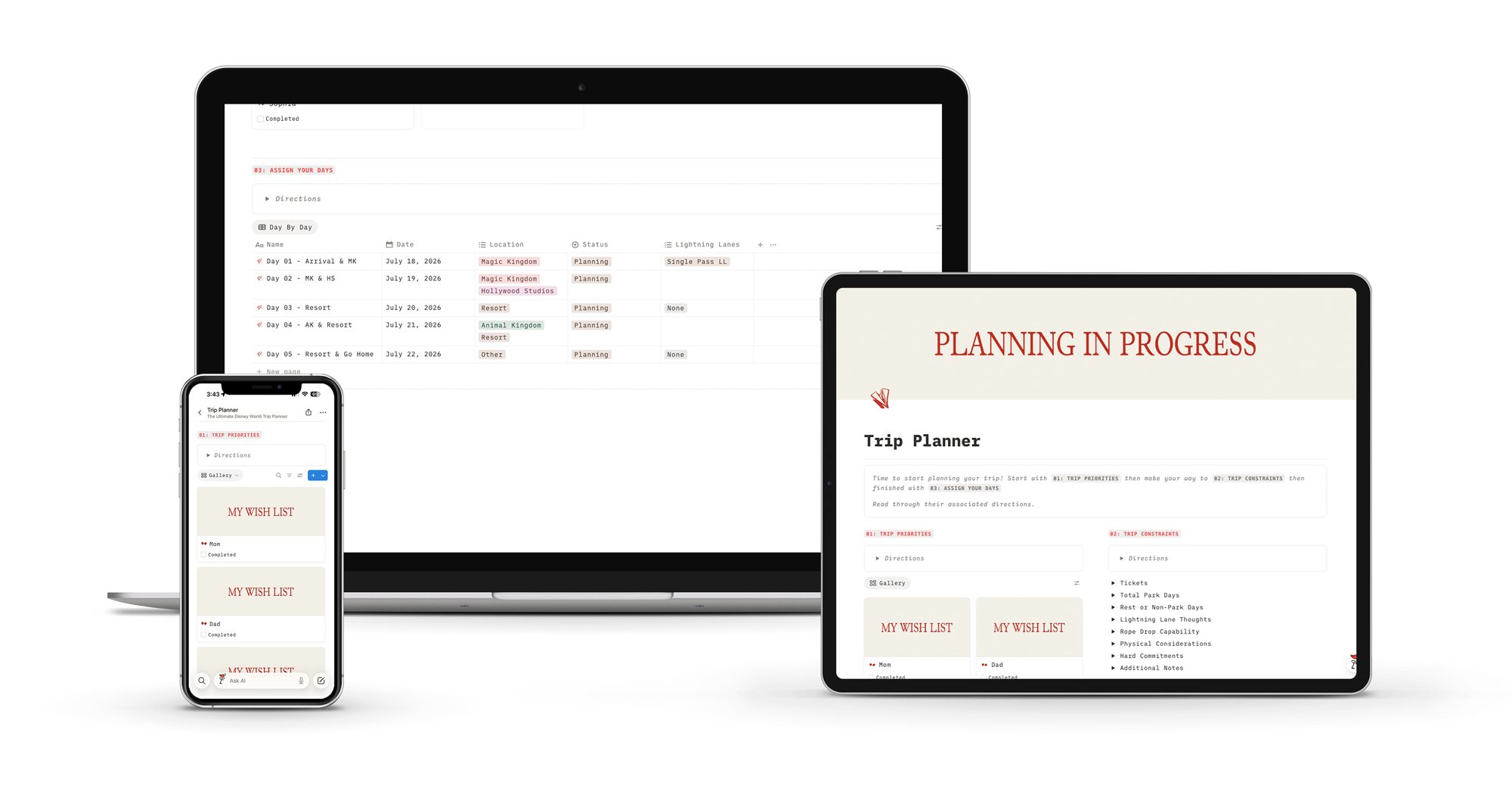
The pre-trip planning brain
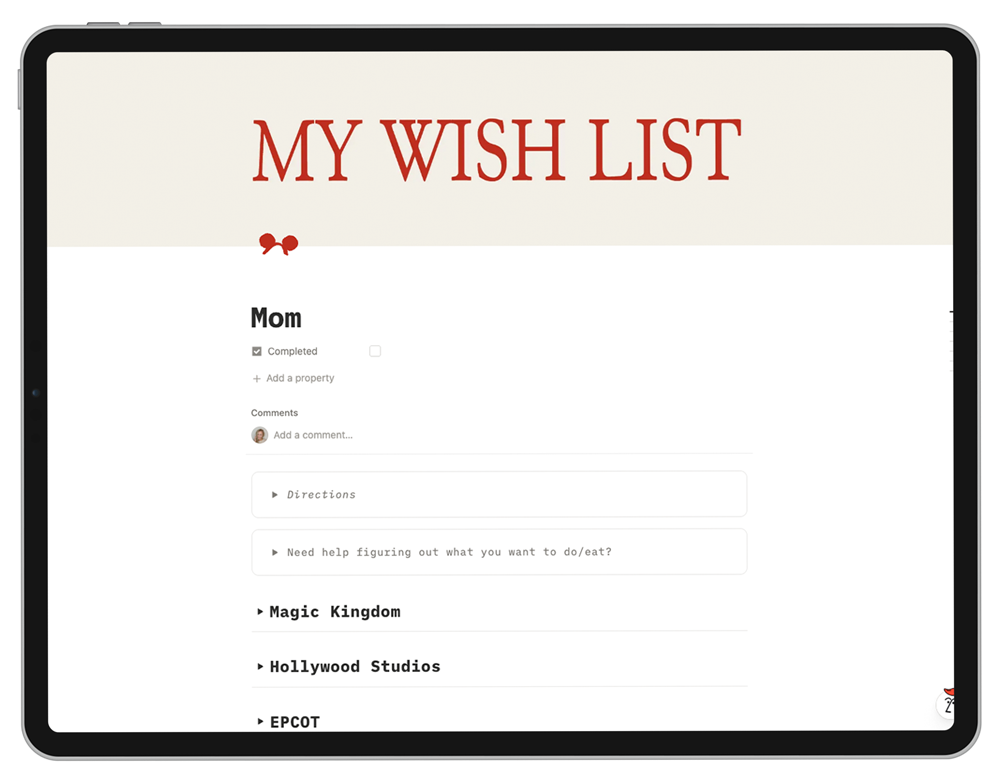
Complete this before you ever plan a park to a day. It pulls priorities out of every person in your party so the rest of the system has something to work with.

Trip Priorities - each person gets their own page for must-do rides, food, shows, and what they don't want to do
Trip Constraints - total park days, rest days, Lightning Lane budget, rope drop capability, hard commitments
Park Assignment with built-in logic guide
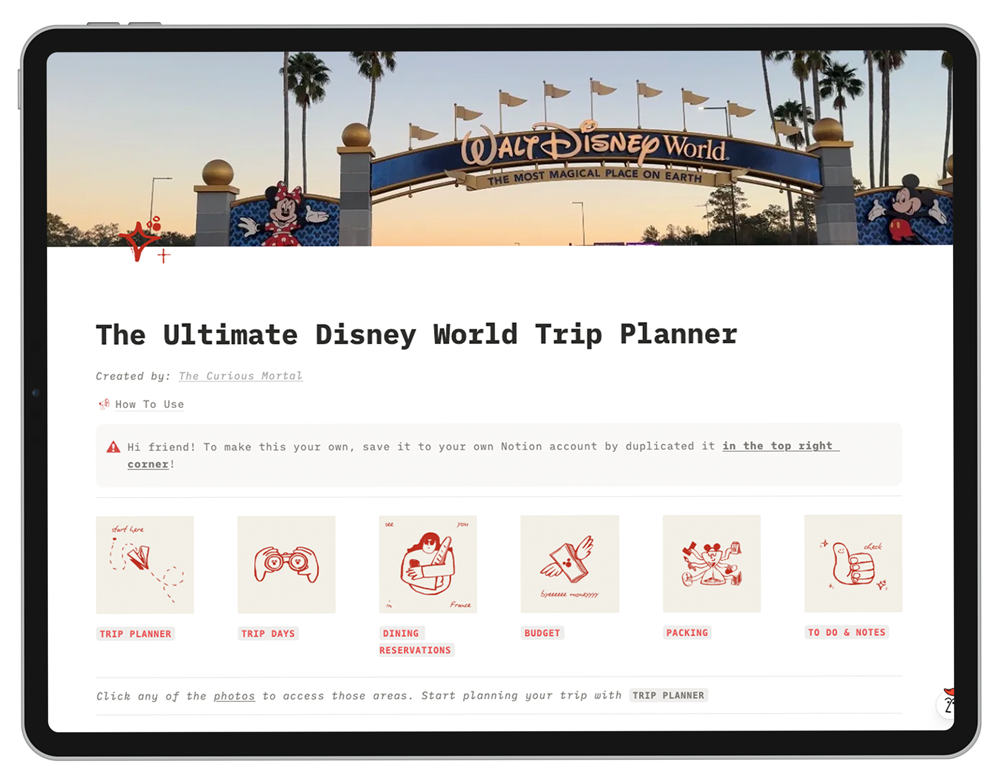
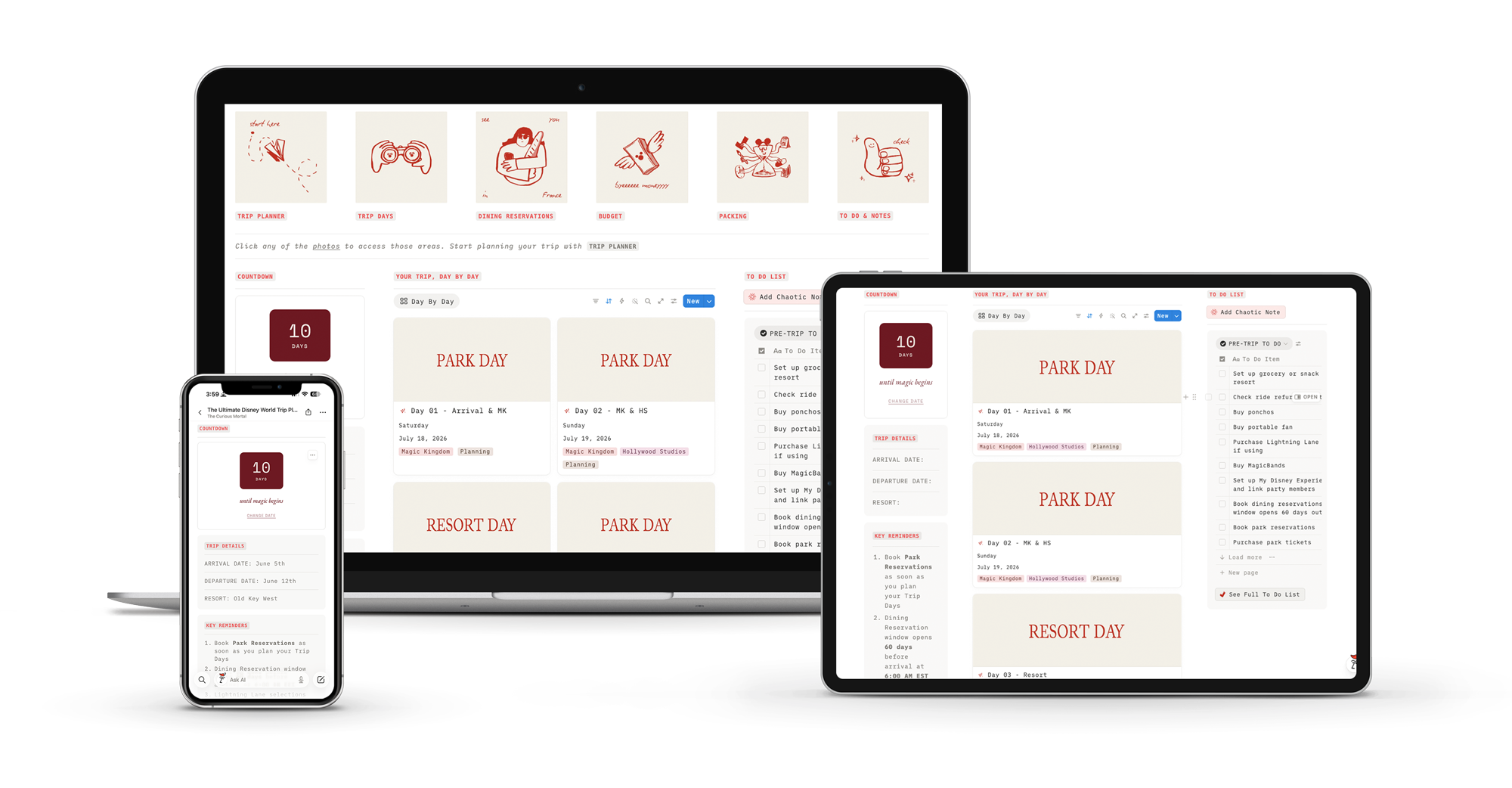
Your trip at a glance
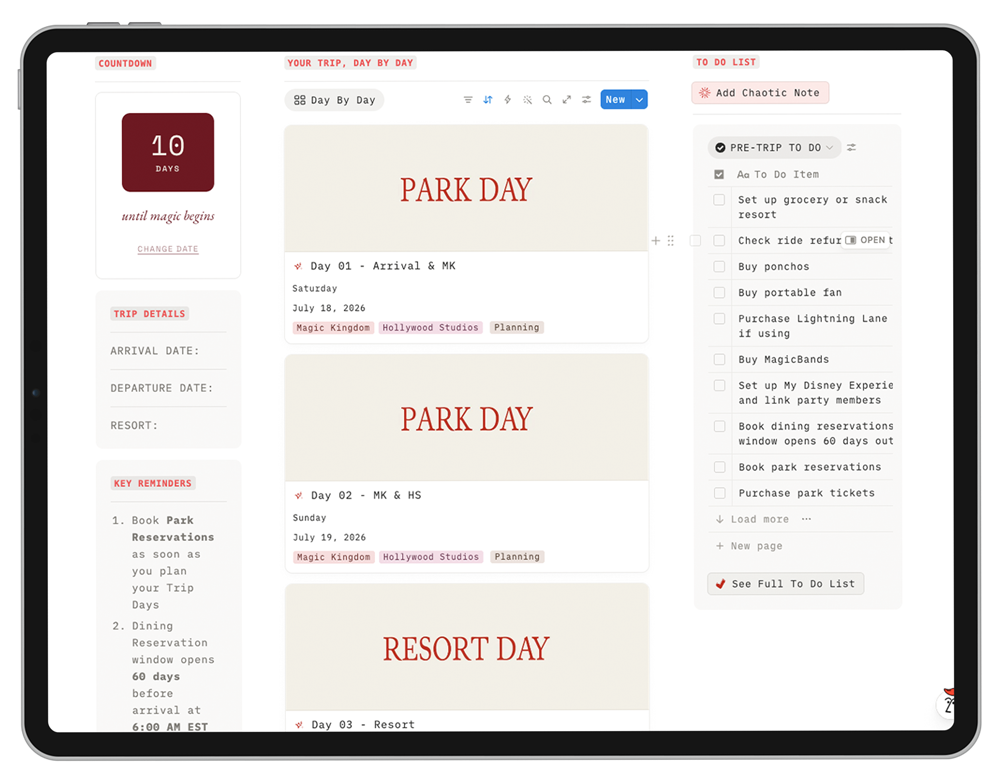
Open the planner and immediately see what matters. Trip details, key reminders checklist, and quick links to every section. Same view on desktop and phone.
Trip countdown - built in, no separate tool
Key reminders checklist for the whole trip
Quick links to every database and section
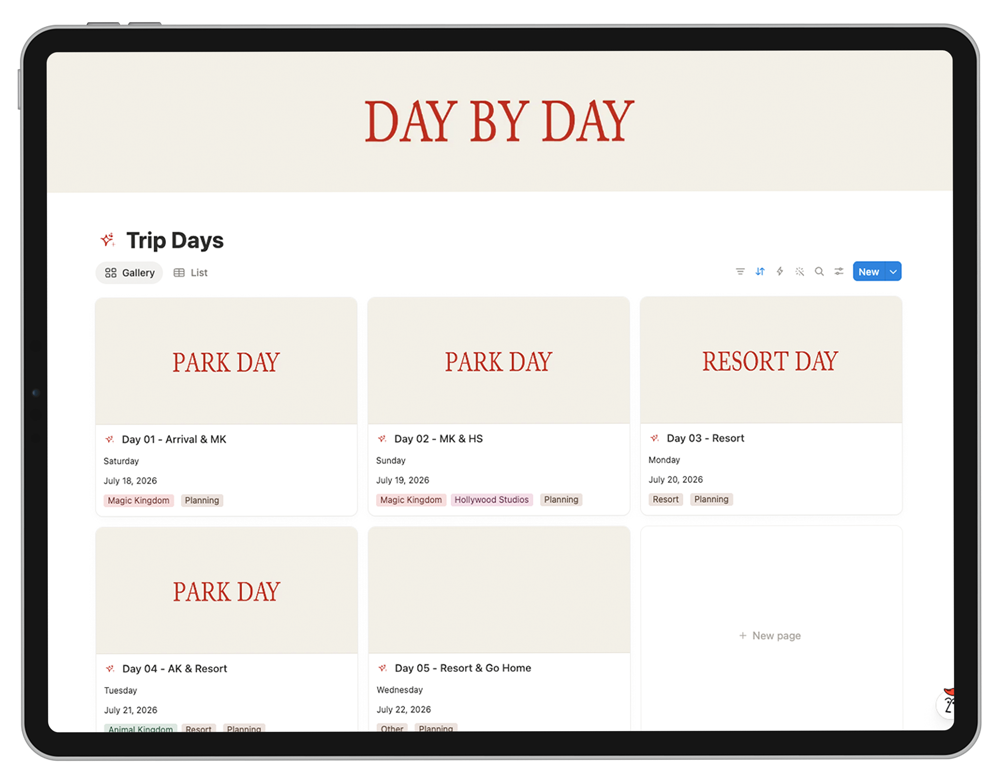
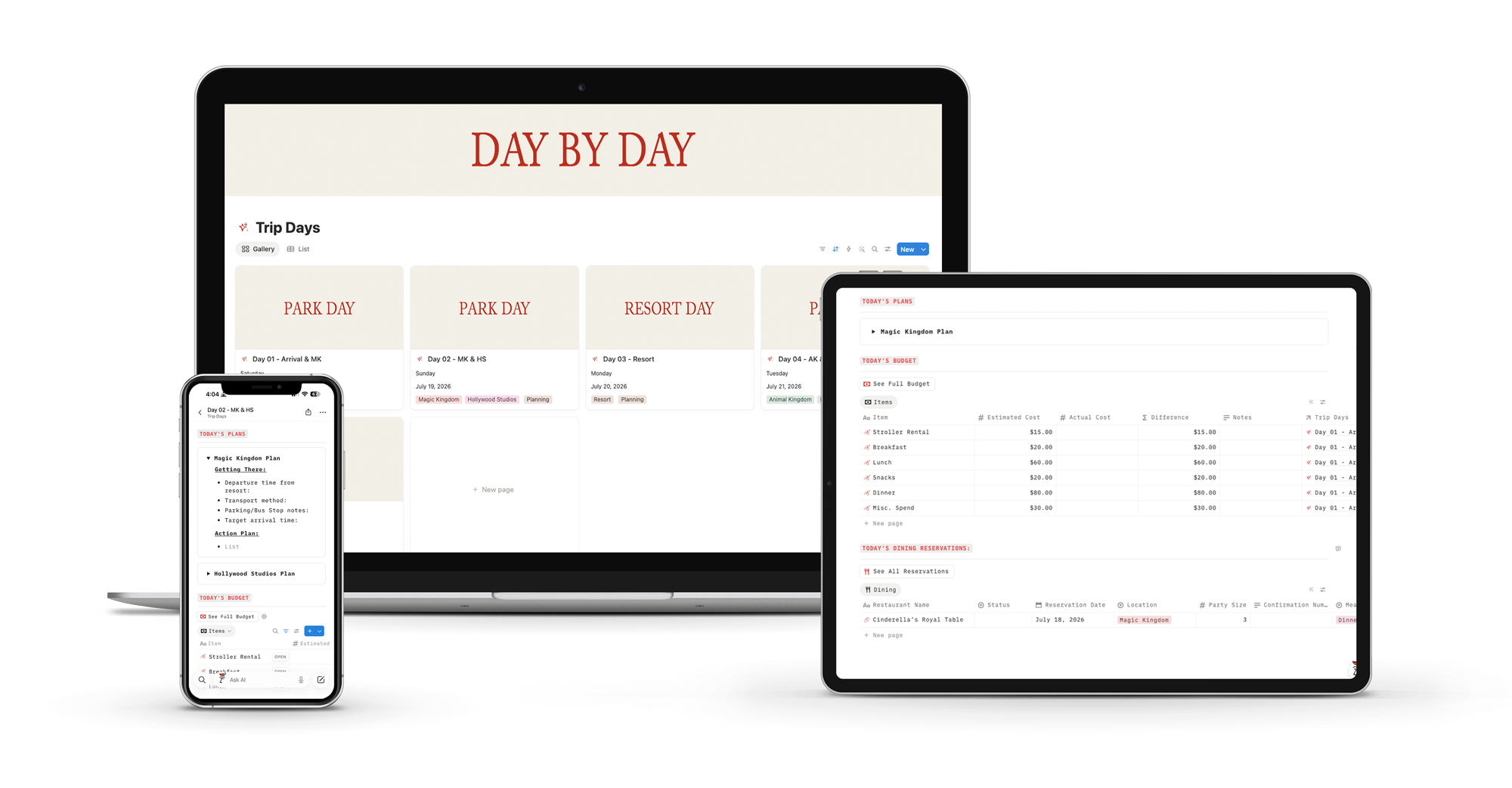
One entry per day. One toggle per park.
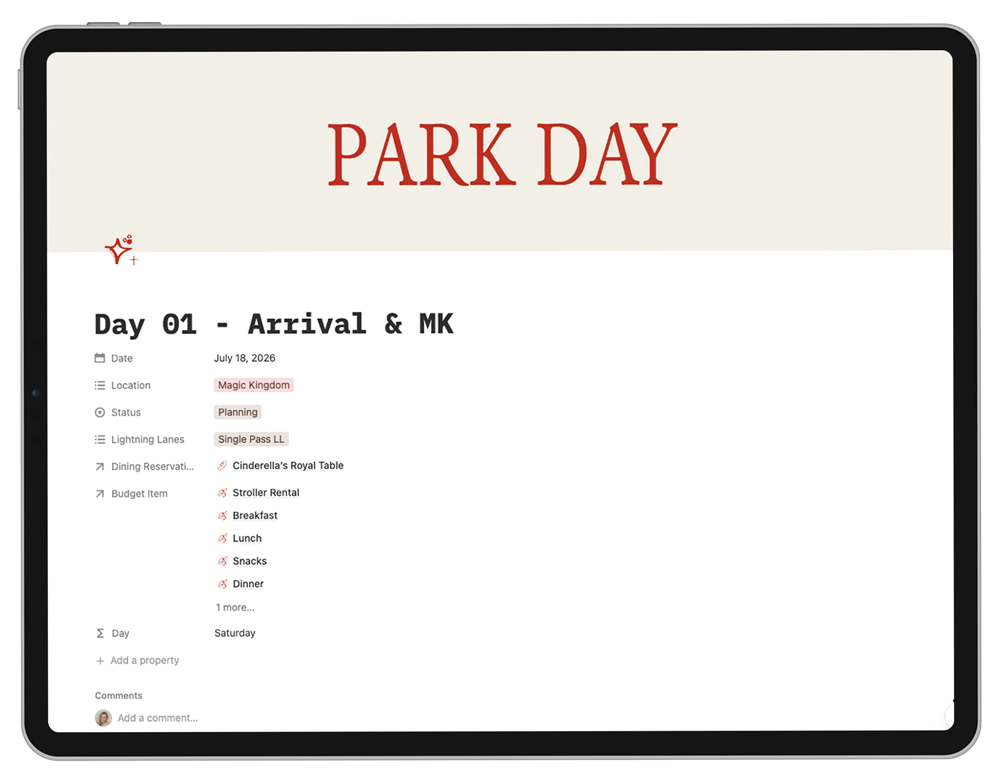
Park hopping breaks most planners. Not this one. Each day opens into a full page where you add a toggle for every park you visit - and the structure holds if you do one park, a park and resort, or even all four parks in one day.
Day Details - Date, parks (multi-select for hopping), day budget, status
Per-park toggles - getting there, transport, departure time
Per Park Details - Rope drop plan, ride priorities, dining, Lightning Lane notes
Chronological day itinerary built right into the page
Four databases doing four jobs nobody wants to do manually.
Park hopping breaks most planners. Not this one. Each day opens into a full page where you add a toggle for every park you visit - and the structure holds if you do one park, a park and resort, or even all four parks in one day.
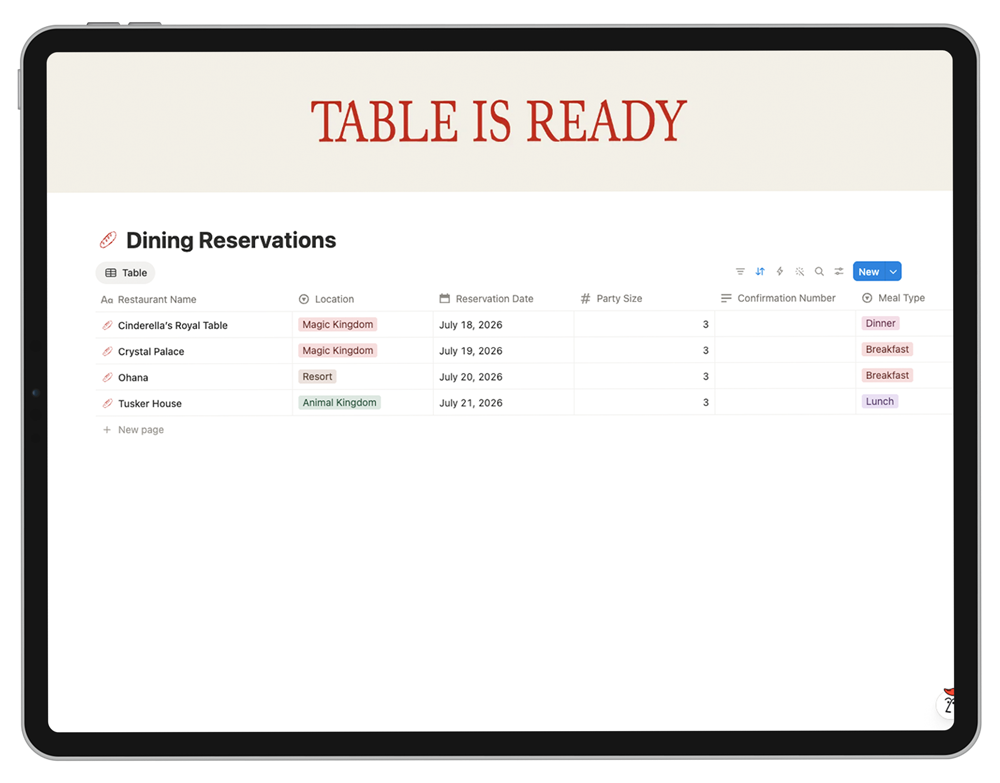
ADR Tracker - every dining reservation, linked to its park day, and a space to write your desired time (very useful when you're waking up at 6 AM EST to book everything)
Budget Tracker - estimated vs. actual costs by category, with a difference formula doing the math for you
Packing List - by category, with a packed/not-packed board view
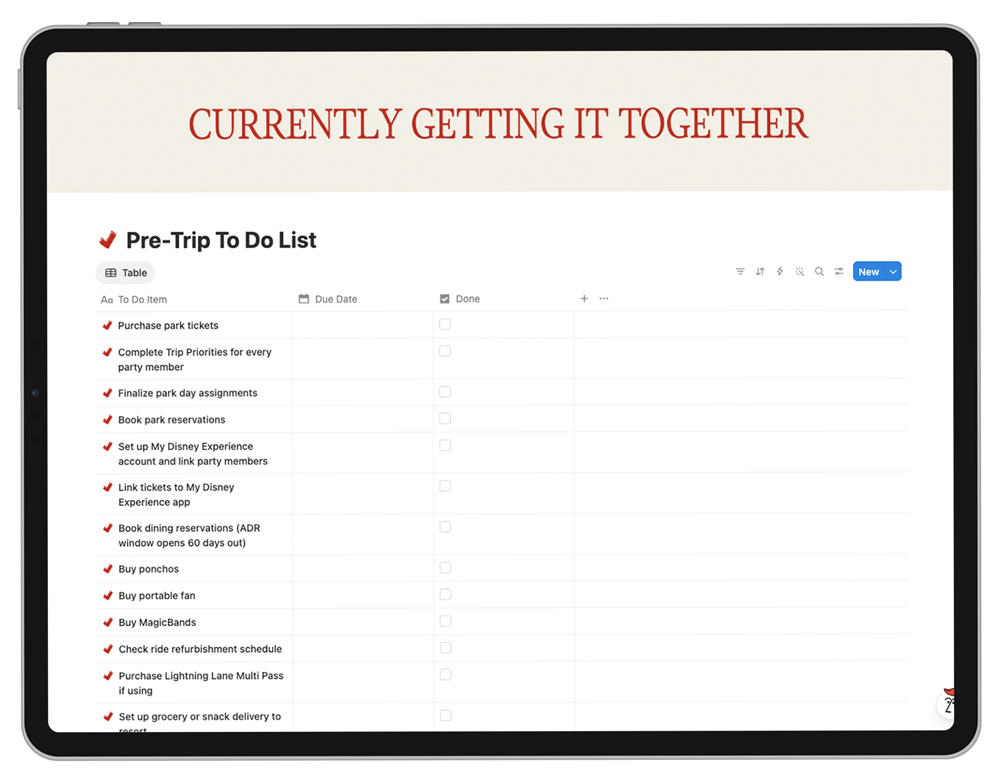
To-Do List - pre-populated with common Disney tasks that all need to get done before you leave.
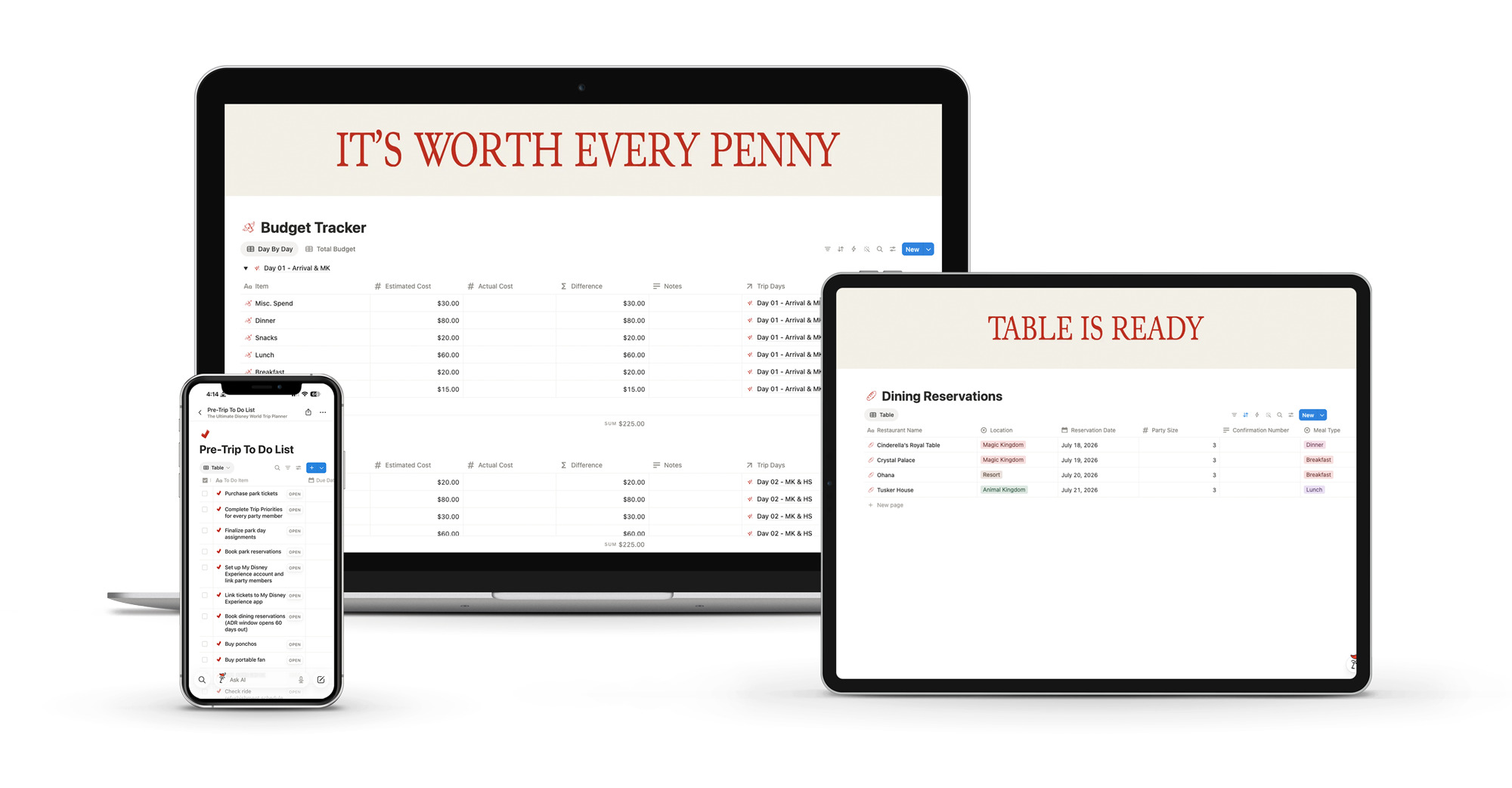
By the time you're packing your bag, you'll have:
01
A park assignment plan that works backward from your party's actual must-dos
So you can stop arguing about which park goes on which day, and start matching priorities to dates the way Disney's calendar actually rewards.
02
A daily itinerary that survives contact with the parks
One toggle per park visited, with rope drop, dining, Lightning Lane, and chronological flow built in. Park hopping doesn't break it. Flexible by design.
03
Every ADR, To Do, and dollar tracked in one place
Without juggling eleven browser tabs, three confirmation emails, and that note app where you swore you wrote down the Sci-Fi Dine-In time.
04
A system you'll actually open in the park, on your phone
So you can stop pretending you're going to print and read a forty-page strategy doc with toddler hands tugging on your shirt.
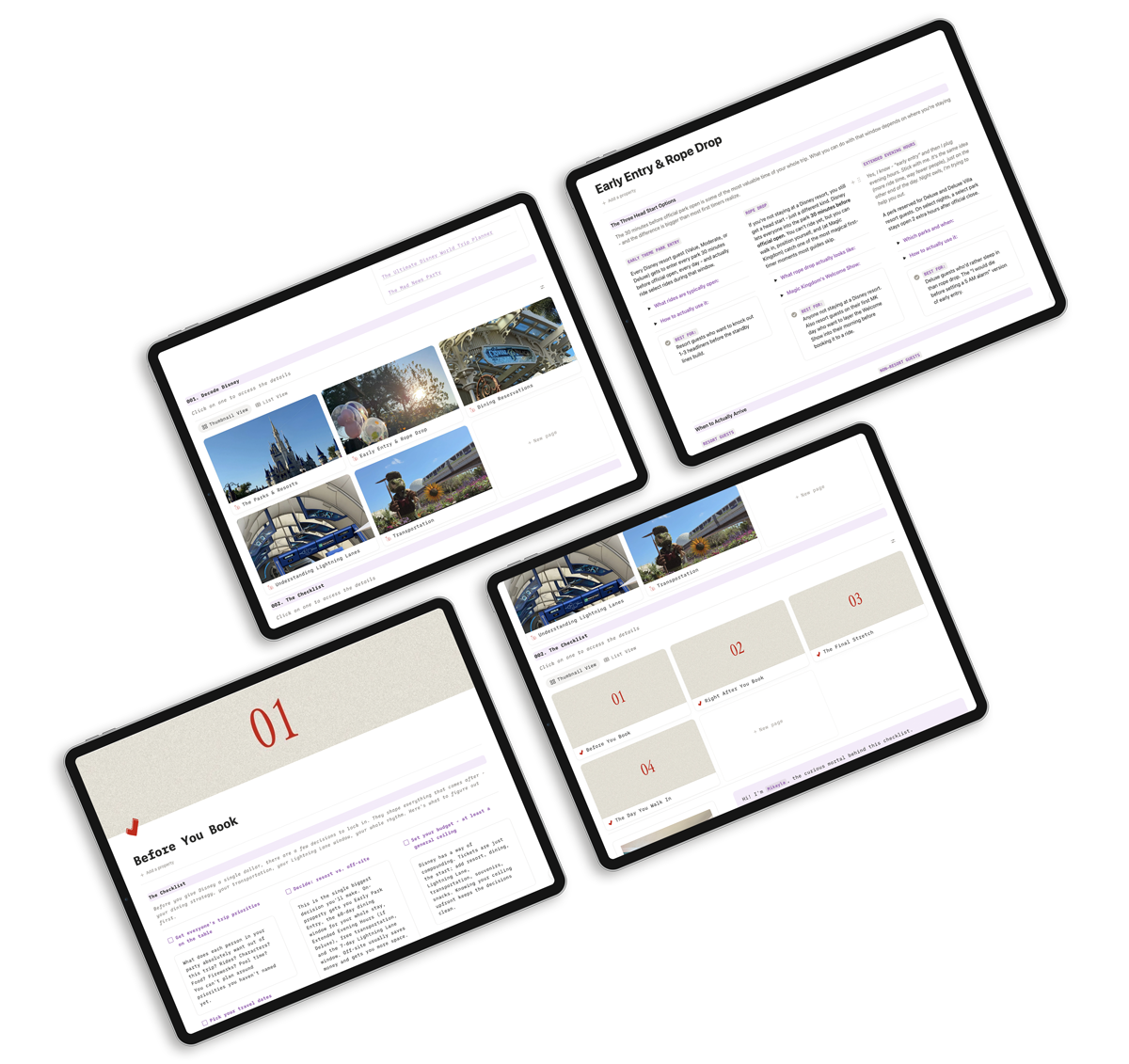
This is the action side. Not the education side.

Brand new to Disney World? Start here.
Grab our free First-Time Disney World Tips guide - it covers the fundamentals and points you to the creators we trust. Come back when you're ready to put it all into one place.
Answers to your common questions
Yes. Notion is free for personal use, which covers everything this planner needs. After you check out, you'll get a link to duplicate the planner into your own Notion workspace. Takes about 30 seconds.
Yes. The planner includes a "How to Use This Planner" walkthrough page, and the structure is built for someone who's never opened Notion before. If you can use a Google Doc, you can use this. If you get stuck, email me - we'll fix it.
Yes. Notion has free apps for iOS, Android, and iPad. But the in-park trick most planners miss: you don't need the whole system on your phone. You need today's park day plan, one tap away. Inside the planner, we walk you through which pages to star and how to link the right ones to your phone's homescreen - so when you're in line for Slinky Dog Dash with one hand free, today's plan is the first thing you see. Not a dashboard. Not a menu. The actual plan for the day you're living.
Yes. You can share your Notion workspace with anyone (free). Each person in your party can fill out their own Trip Priorities page, comment on your day plans, and access the dashboard.
Either way, your plan goes here. If you're brand new, this is where everything you're learning lands - the strategies, the reservations, the priorities — so it's actually usable on day one. If you've been a hundred times, it's still where the next trip gets built. Doug and I have been to Disney World more times than I can literally count, and we still have this for every single trip.
No. One-time payment. Lifetime access to your duplicated planner. No recurring charges, ever.
This planner is built specifically for Walt Disney World - the resort, the four parks, the dining and Lightning Lane systems unique to WDW. The structure could be adapted for other parks, but I've never tried that, so I don't want to promise anything.
Each purchase is licensed to one person - but the planner is genuinely useful, so if your friend's planning a trip too, send them here. I've put a lot of hard work into this, so if you could honor that, it would mean a lot. How else am I supposed to fund my Disney addiction?
No, and we want to be upfront about that. This is the action side - where your research becomes a real plan. If you're brand new to Disney World, grab our free First-Time Disney World Tips guide first, then come back here when you're ready to put it all into one place.
About 20-30 minutes to duplicate the planner, fill in your trip dates, and have each person in your party drop their priorities. After that, you're building the actual plan - and how long that takes depends on how complicated your trip is.
Not at all. The planner is designed to absorb plans already in motion - drop your existing ADRs into the tracker, add your Lightning Lanes to the right park days, and the system catches up to you immediately.
Here's the Truth
You're going to plan this trip. The question is whether you'll plan it from seventeen tabs, three confirmation emails, a Google Doc, and a printed PDF you'll leave at the resort - or from one place that's actually built for the day you're going to live.